egnite 510
// TODO: Marketingbild
The egnite 510 is a temperature sensor, that supports platinum resistance temperature detectors (RTDs) as measurement probes.
These can be PT100 or PT1000 RTD probes.
The probes are connected to the screw terminal of the device in either a 2, 3, or 4 wire connection.
Specifications
| Name | Measurand | Resolution | Accuracy | Range | Operating conditions | Calibration |
|---|---|---|---|---|---|---|
| egnite 510 | Temperature | 11 | 1 | 10°C to 80°C | -10°C to 80°C | Not available |
//TODO: Echte Informationen
The measurement accuracy is dependent on operating the device in the specified condditions.
Package contents
- Sensor device
- PT Measurement probe
- RJ11 cable
Hardware Setup
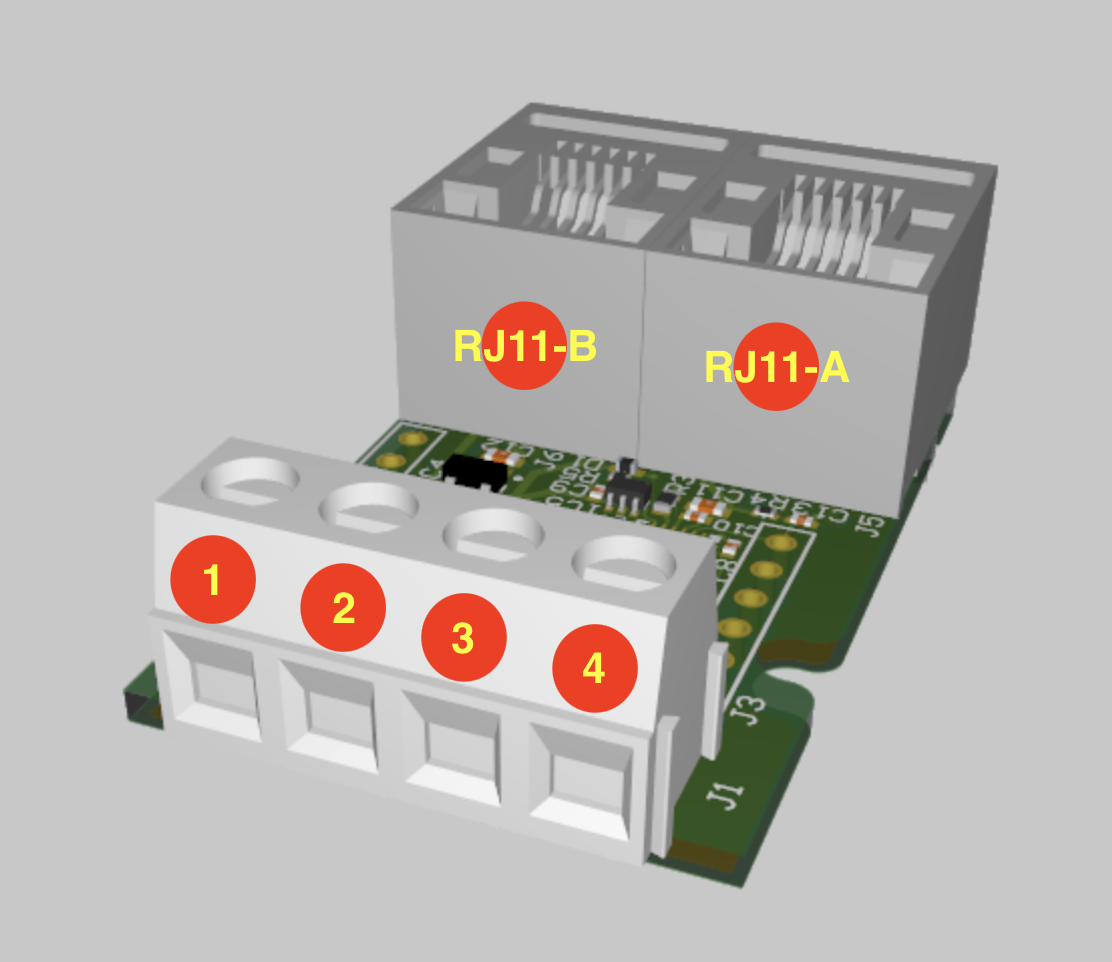
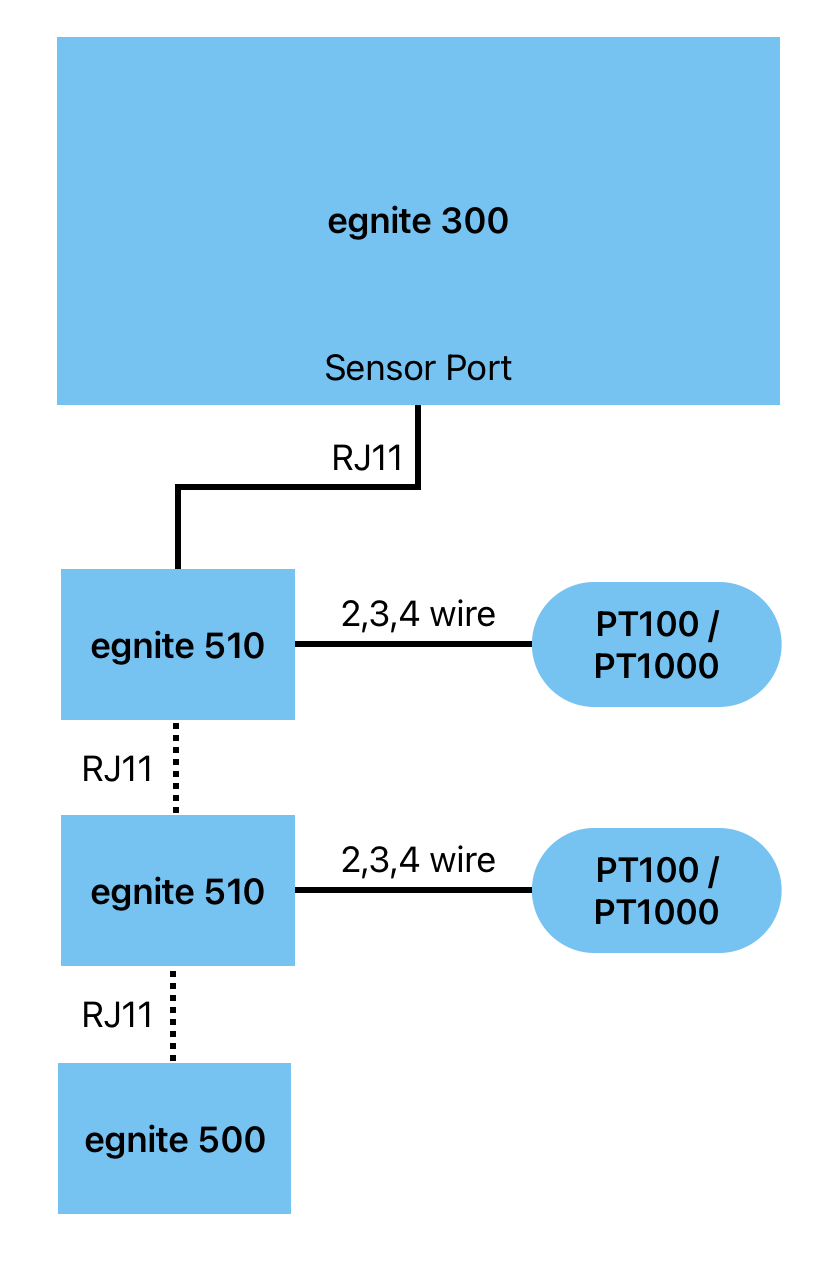
The device has to be connected to a PT measurement probe and to a egnite 300 device.
Optionally it can be connected to an additional sensor of the egnite 300 series.
What you will need:
- egnite 300 device
- egnite 510 device + PT (RTD) measure probe
- Flat head screwdriver
- RJ11 cable
Connecting a measurement probe
// TODO: beschaltung einstellen wie?
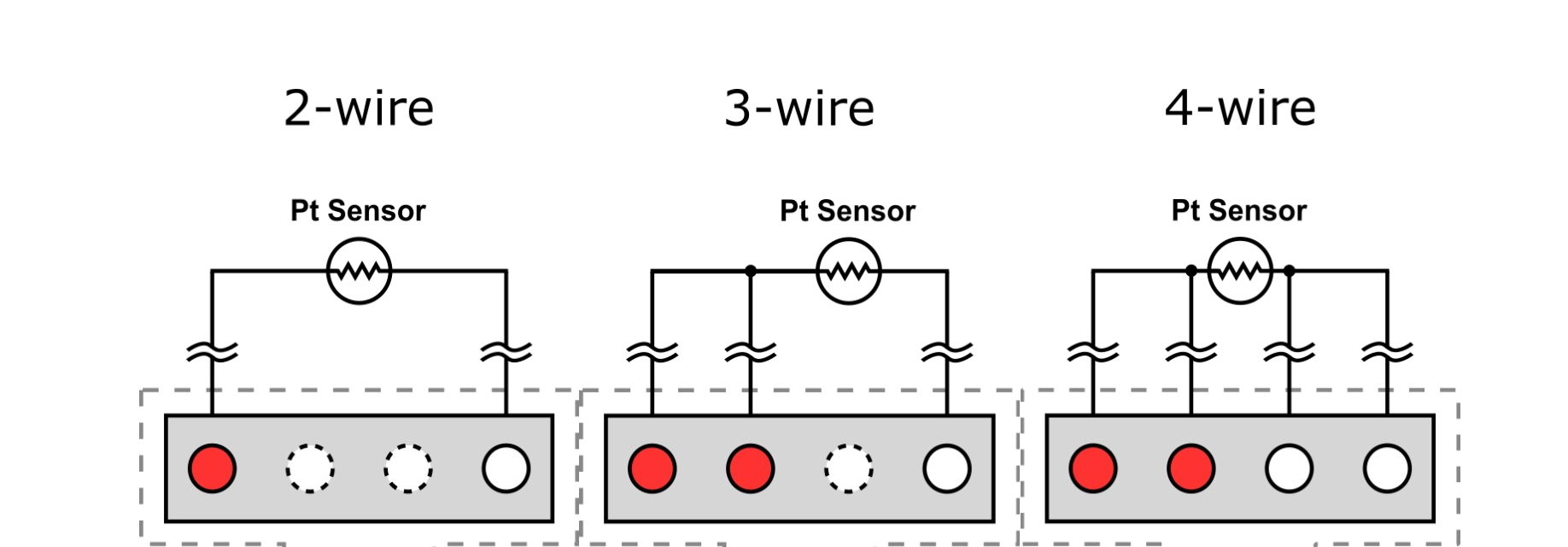
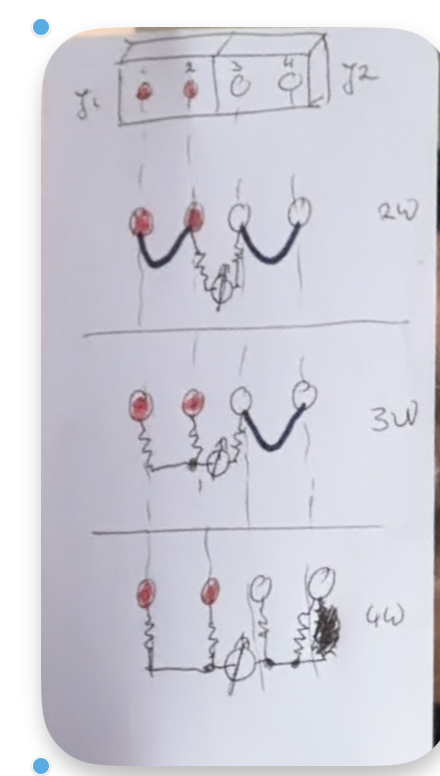
// TODO: diagramm korrekt?
To connect a PT100 or PT1000 RTD probe to the screw terminal of the device:
- Make sure the device is not powered / not connected to the egnite 300 device via RJ11.
- Decide if you want to use a 2, 3, or 4 wire connection.
- Loosen the respective screws.
- Connect the wire cores of the probe to the screw terminal of the device, according to the wiring diagram above.
- Tighten the screws.
Connecting to an egnite 300 device
- Connect the RJ11 cable first to either one of the two RJ11 ports on the sensor board.
- Connect the other end of the cable to the RJ11 sensor port of your egnite 300 series device.
RJ11 Pinout
| Pin 1 | Pin 2 | Pin 3 | Pin 4 | Pin 5 | Pin 6 |
|---|---|---|---|---|---|
| GND | GND | 1-Wire | GND | +5V | +5V |
Connecting additional egnite 500 sensors
You can optionally daisy chain egnite 500 sensors. Therefore the devices have two RJ11 ports, which can be used interchangably.
To do that connect your additional egnite 500 sensor the RJ11 port you did not use for the connection to your egnite 300 device on the step above.
Connect the sensors of the egnite 500 series only with devices of the egnite 300 or 500 series and with the provided RJ11 cable.
Other devices using this connector are not electrically complatible with this device and plugging them in may lead to damage or destruction of both devices.
The maximum physical length of the sensor chain to work reliably is
- 30m in series and
- 10m in wye/star connection.
The maximum number of egnite 500 devices you can chain depends on many factors.
An upper bound for egnite 310 for example is, that it supports up to 16 sensors.
Software Setup & Operation
After connecting your egnite 510 to a suitable measurement probe and to your device of the egnite 300 series, refer to egnite 300 Series documentation for details on how to setup a new sensor in the webinterface and how to use it.
The corresponding page for egnite 310 can be found here: